Welcome. Notes In Confidence is a simple, private, encrypted note-taking app for therapists and supervisors. Your notes are encrypted in your own browser, then synced to your own Google Drive — still encrypted, only you can decrypt them. Google Drive is required: you sign in with Google during setup, and every note ever after is stored in your own Drive in encrypted form. There are no accounts on our service, no monthly fees, and nobody else holds your key.
This short page is the place to start.
The password rule. Your password is the encryption key. We do not have it, Google does not have it, no one but you does. There is no reset link, no security question, no support process that recovers it. If you forget your password and have no backup file under a password you do remember, every note in your vault is permanently gone. Save the password to a manager and write it on paper before you finish setup.
Where to find the app
The app lives at:
https://notes.notesinconfidence.uk/
Open that link in any modern browser, on any device you own (laptop, desktop, phone, tablet). Once you have set up your vault, you can sign in to the same Google account on any other device and your notes will follow you.
When you arrive, you will see the public landing page:
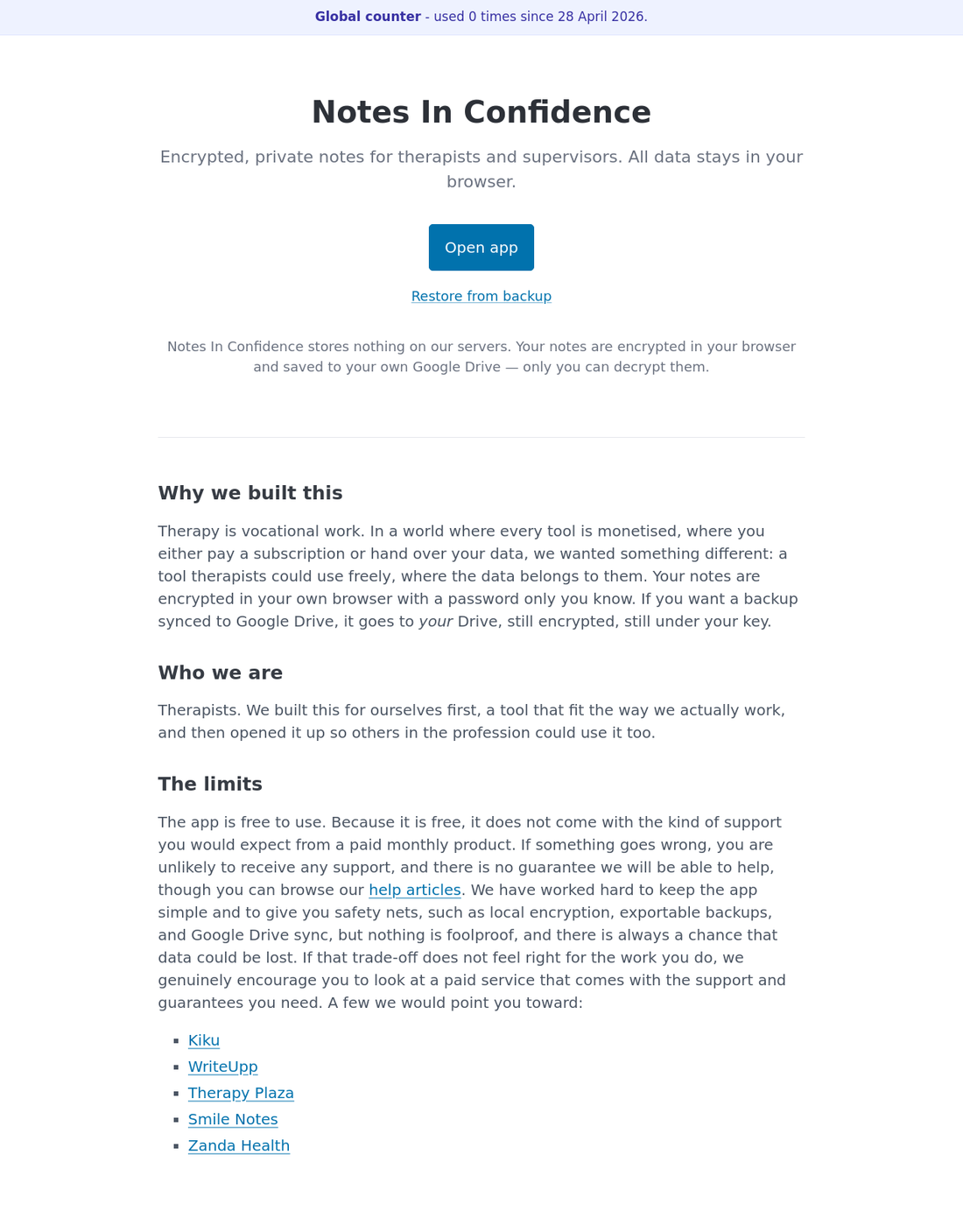
Click Open app to begin. If the soft launch is still in progress, you will be asked for a soft-launch password before the app proper opens.
You will need an access code (or the legacy beta password) to get in
We are currently in invite-only beta, which is our way of opening the door to a small group of therapists and supervisors before going fully public. To keep that group small while we settle the last few details, the front page is gated by a Beta access page.
New testers are issued a one-time access code by the operator. You paste it into the Access code field on the gate page and that one browser is through. Codes are single-use, so each one only redeems once. Beta access codes — what they are and how to redeem them covers the redemption flow and the three error messages you might see if a code does not work.
If you have been in the beta for a while, the original shared soft-launch password still works on the same page. The gate accepts either form. So if you were given a shared password by a colleague at any point, you do not need to ask for a new code.
This is not the password for your own vault. It is just a small key that lets you reach the app at all during this early phase. Your own vault password, the one that will encrypt your clinical notes, is something you choose yourself the first time you set up.
Once you have your code (or your legacy password), type it on the gate page and you are through. The next page is the proper landing page for the app, with an Open app button that takes you to setup.
What to read next
If this is your first time, the article Setting up your vault for the first time is the right place to go after this one. It walks you through Google sign-in, picking a strong password, and getting your first backup downloaded. Five minutes, and you are ready to start.
After that, Add a client and write your first session note covers the day-to-day workflow.
If you would rather understand the privacy model first (perfectly reasonable for clinicians), read How Notes In Confidence keeps your notes private.
If you ever wonder why the app keeps reminding you to take backups, Sync, Backup and Local Backup, three different jobs explains the three layers of safety net and why we recommend turning all three on.
Once your vault is set up, Installing Notes In Confidence on your device covers turning the app into a real desktop or home-screen icon — your data is then harder for the browser to evict, and the app keeps working when you are offline.
If you prefer dark themes (or want the app to follow your operating system's dark-mode schedule), Light, dark and system theme covers the three-way theme picker in Advanced > Defaults.
See what has changed recently
Once you are inside the app and have unlocked your vault, the small build chip (D. xxxxxxxx) next to the Notes In Confidence title in the header is clickable on every page. It opens What's new in a new tab, where the most recent changes to the app are listed at the top with New, Improved, or Fixed tags. If you have noticed something different about the app's behaviour, the latest entry in What's new is usually the fastest way to find out whether it is in fact a recent change.
A small note about support
Notes In Confidence is offered free, by therapists, for therapists. Because it is free, the level of support is limited. The articles in this knowledge base are designed to cover the questions people most often ask, and we add new ones as themes come up. If you run into something genuinely puzzling, please feed it back through whichever route you arrived here, and we will look at adding an article. The diagnostic log option in Advanced > Danger Zone exists precisely so you can share a sanitised technical record if you ever need to.
We hope you find it useful. Take a moment, take a breath, then click through.